
Git inside DeepSeek Harness Web: review, stage and commit what the agent changed without leaving the session.
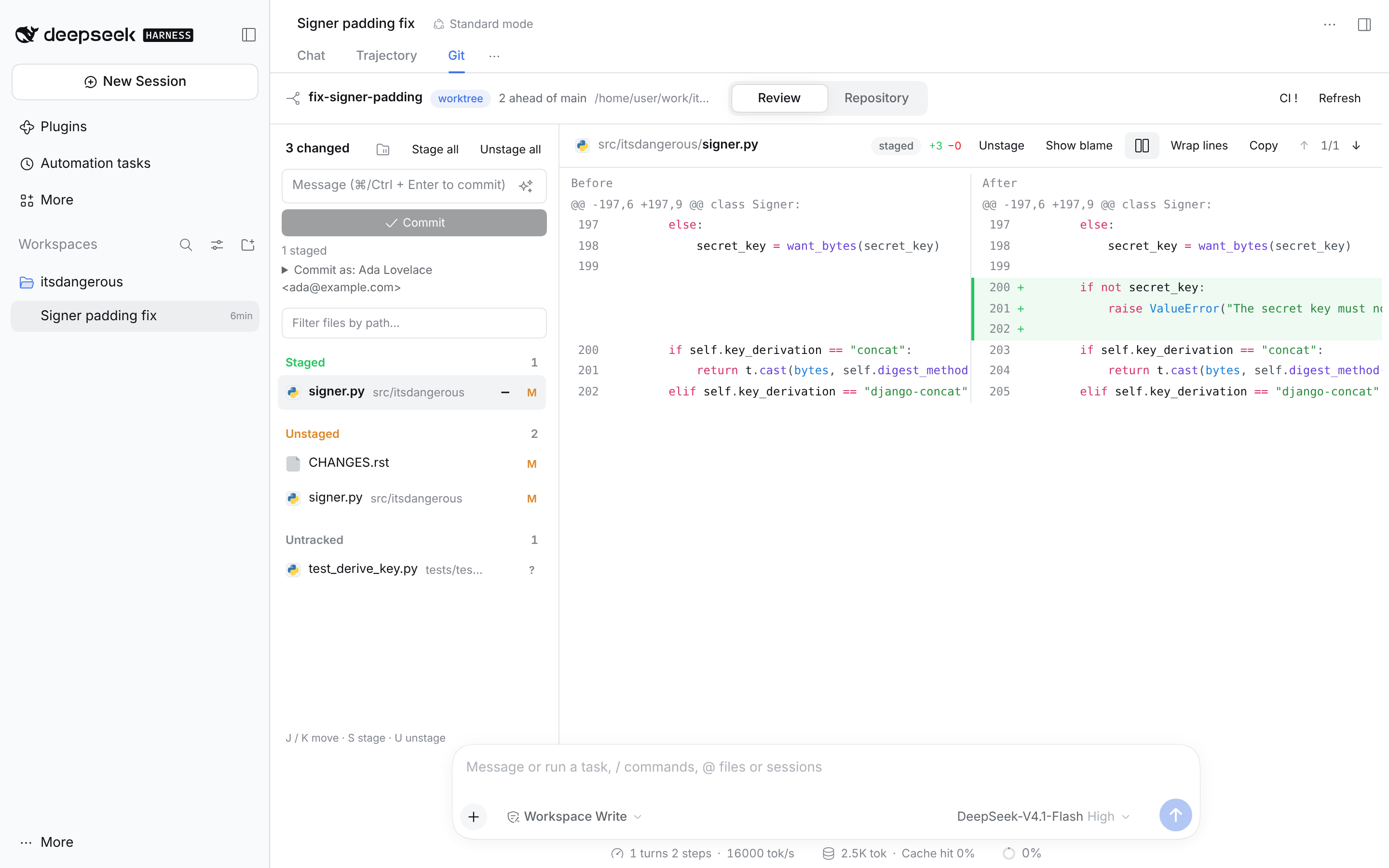
- Review: working-tree changes, staging, commits, unified or side-by-side diffs with syntax highlighting, blame
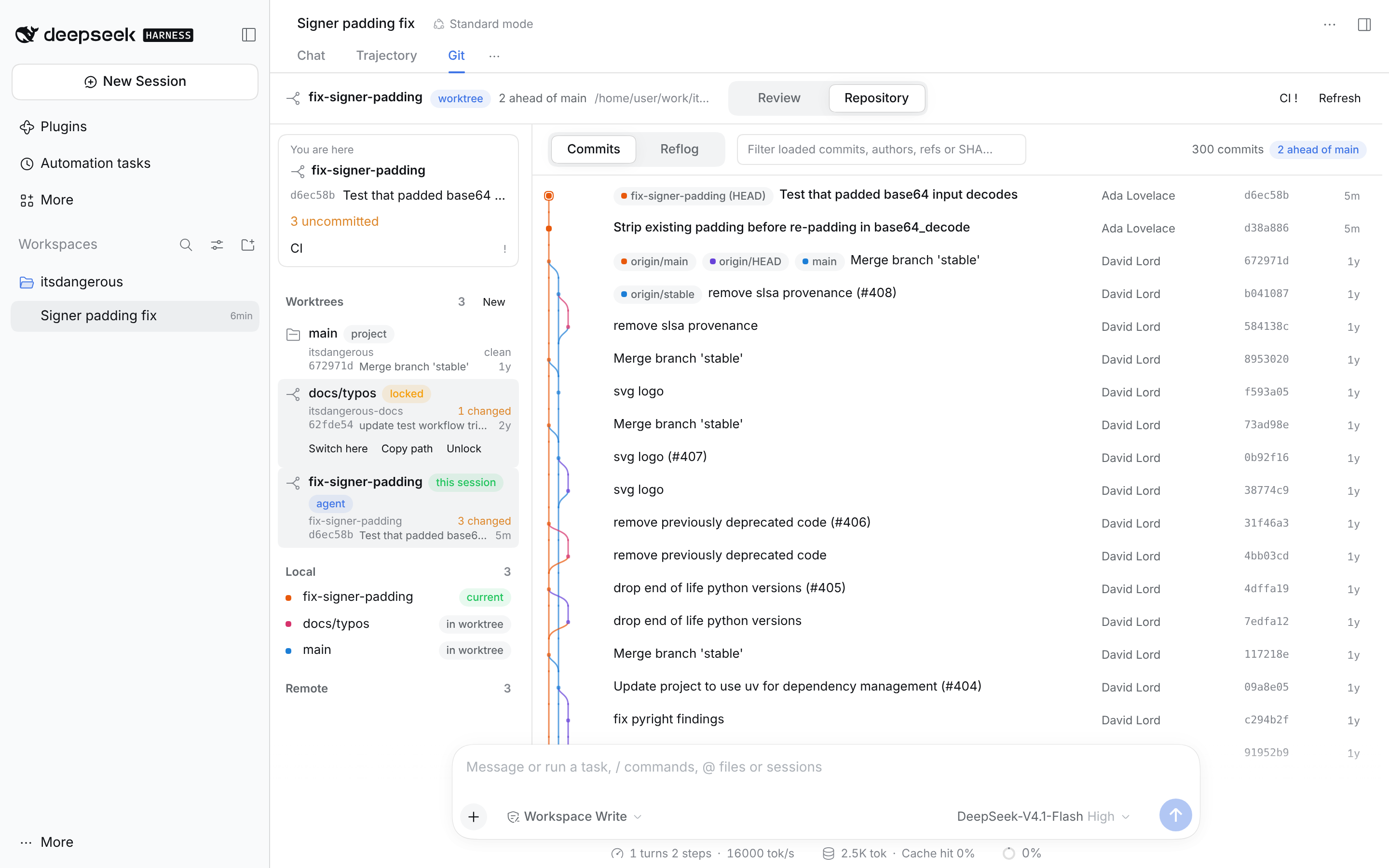
- Repository: commit graph, branches, reflog
- Worktrees: follows the session into the worktree its agent works in, and lists, switches, creates, locks and removes checkouts
- CI: status for GitHub, GitLab and Gitea, with step details for GitHub Actions
- AI: optional commit-message drafts from the session's selected model
- Opens as a wide Git tab beside Chat and Trajectory, as a panel in the right sidebar, or both
- English and Japanese
dsh plugin --profile web add dsh-gitviewRestart DSH, then open Git beside Chat and Trajectory or in the right sidebar.
Needs DSH Web 0.2.x, Git and Node.js 24+. The exact DSH versions it is tested against are listed under engines.dsh in package.json. DSH Desktop is not tested.
To remove it:
dsh plugin --profile web remove dsh-gitviewPlacement. Settings → General → Git view placement picks the sidebar, the conversation tab, or both (the default). The choice is saved per browser.
Worktrees. When the agent moves into a worktree, the view moves with it and the header shows a worktree badge. Repository mode lists every checkout of the repository:
- Switch here moves the session to that checkout. The session must be running.
- New creates a branch in a new checkout and switches to it. It needs DSH's Change requests & worktrees plugin.
- Lock, Unlock, Remove and Prune run the matching
git worktreecommand. Remove and Prune ask first, nothing is forced, and branches are kept.
CI. GitHub uses the gh login on the machine running DSH. GitLab and Gitea read GITLAB_TOKEN and GITEA_TOKEN; without a token, public CI is still tried. A self-hosted server needs an entry under ci.hosts in the plugin configuration:
ci:
  hosts:
    git.example.com:
      provider: gitlab        # github, gitlab or gitea
      tokenEnv: EXAMPLE_GITLAB_TOKEN
CI is read-only: the plugin never reruns or cancels a job.
- Generating a commit message sends your staged changes to the session's model provider and may be billed. It never commits for you.
- Ask AI puts CI metadata into your chat draft without sending it. Logs are not attached.
- Access tokens stay on the host and are never sent to the browser.
See CONTRIBUTING.md for building, testing and adding a DSH version.