

A real-time web-based chat application for Meshtastic mesh networks. Features node discovery, profile management, and persistent message storage with an intuitive web interface.
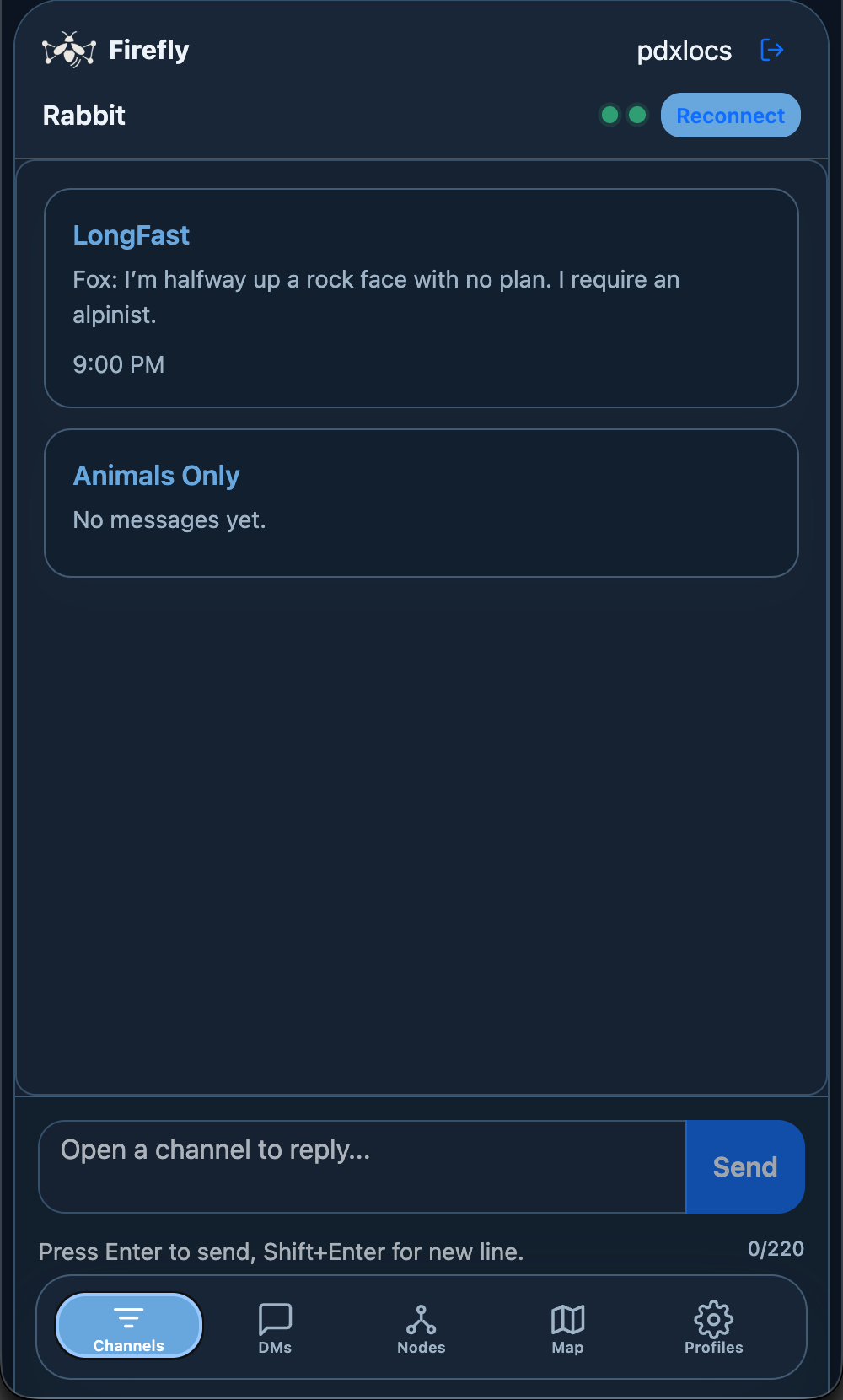
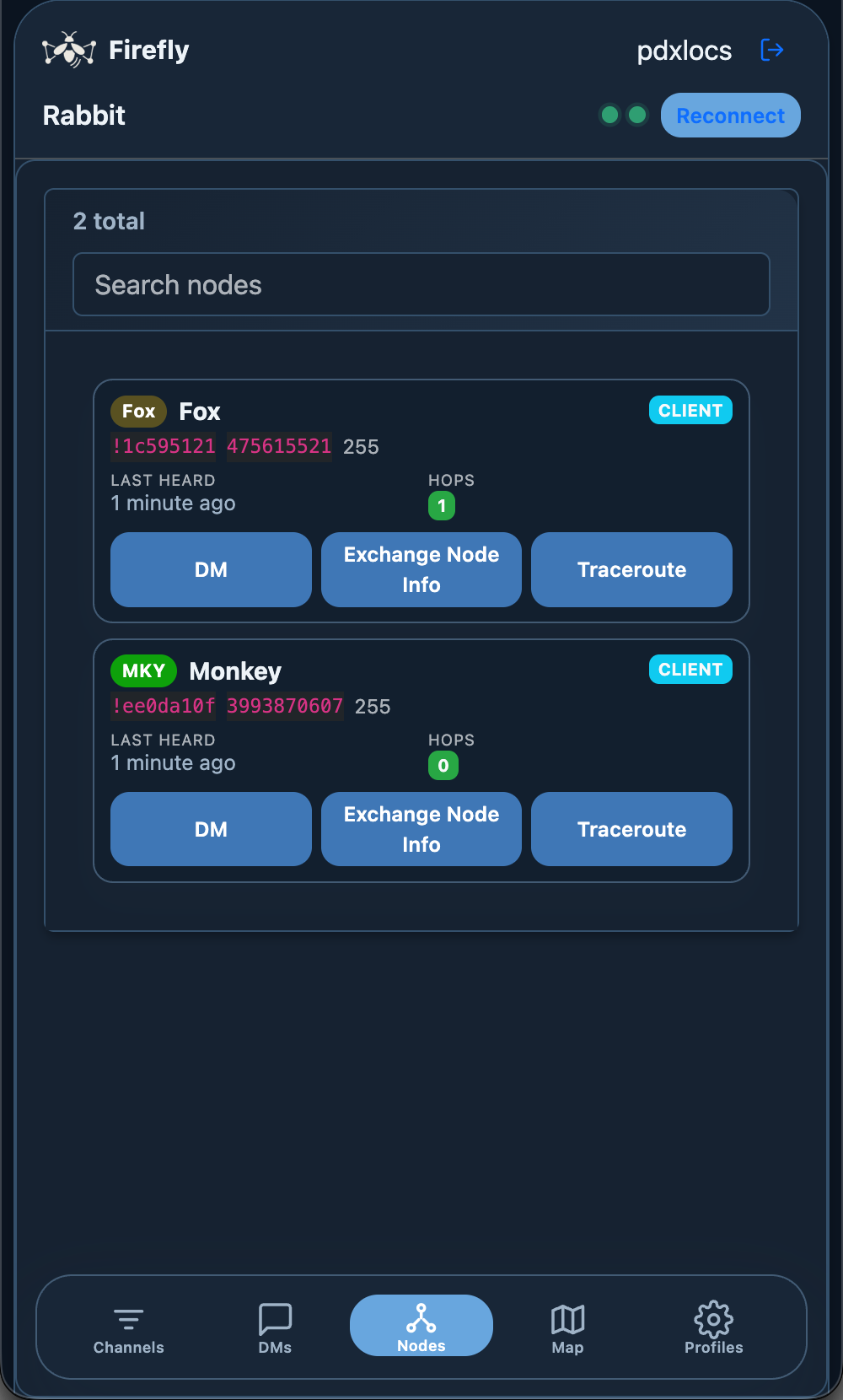
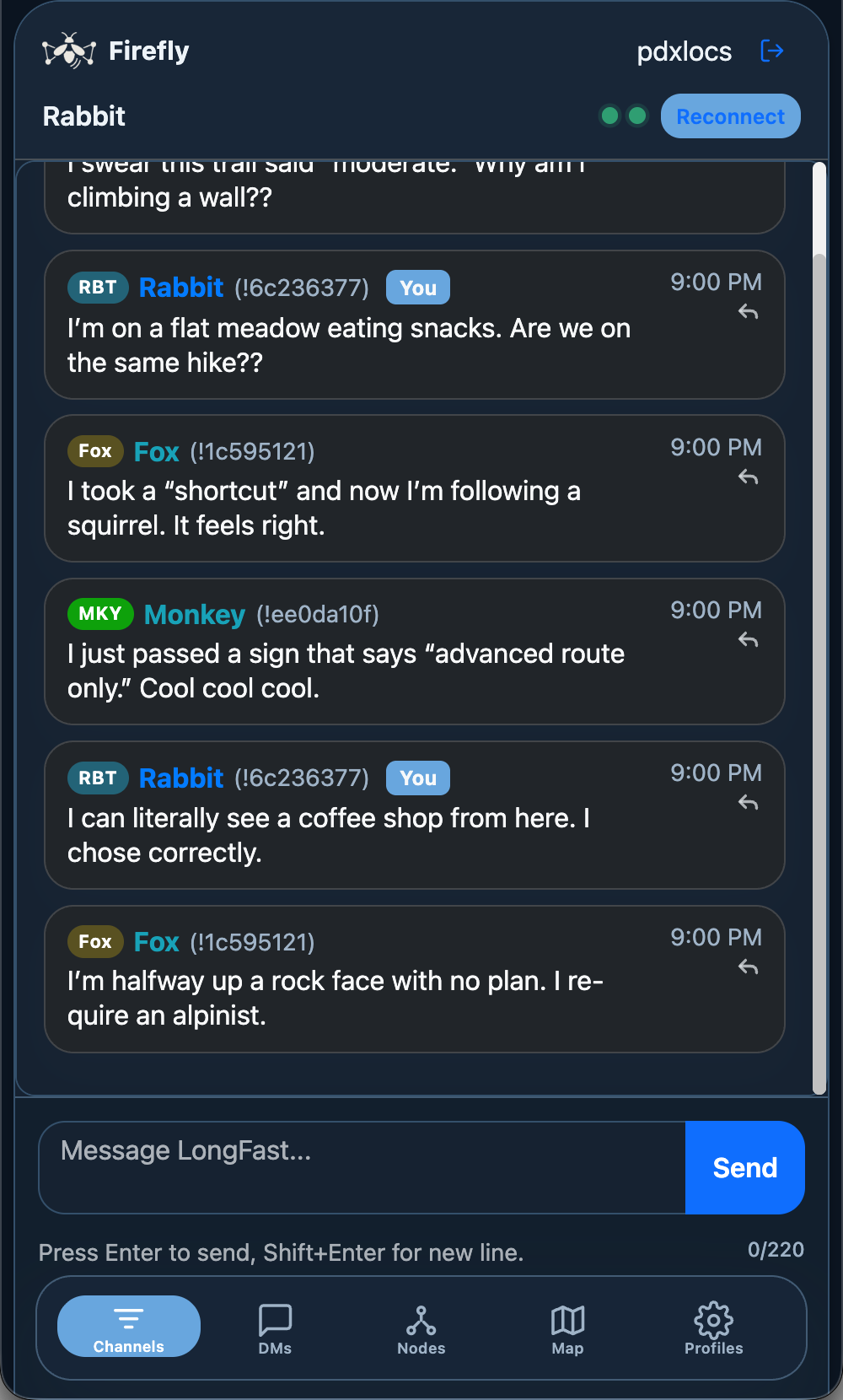
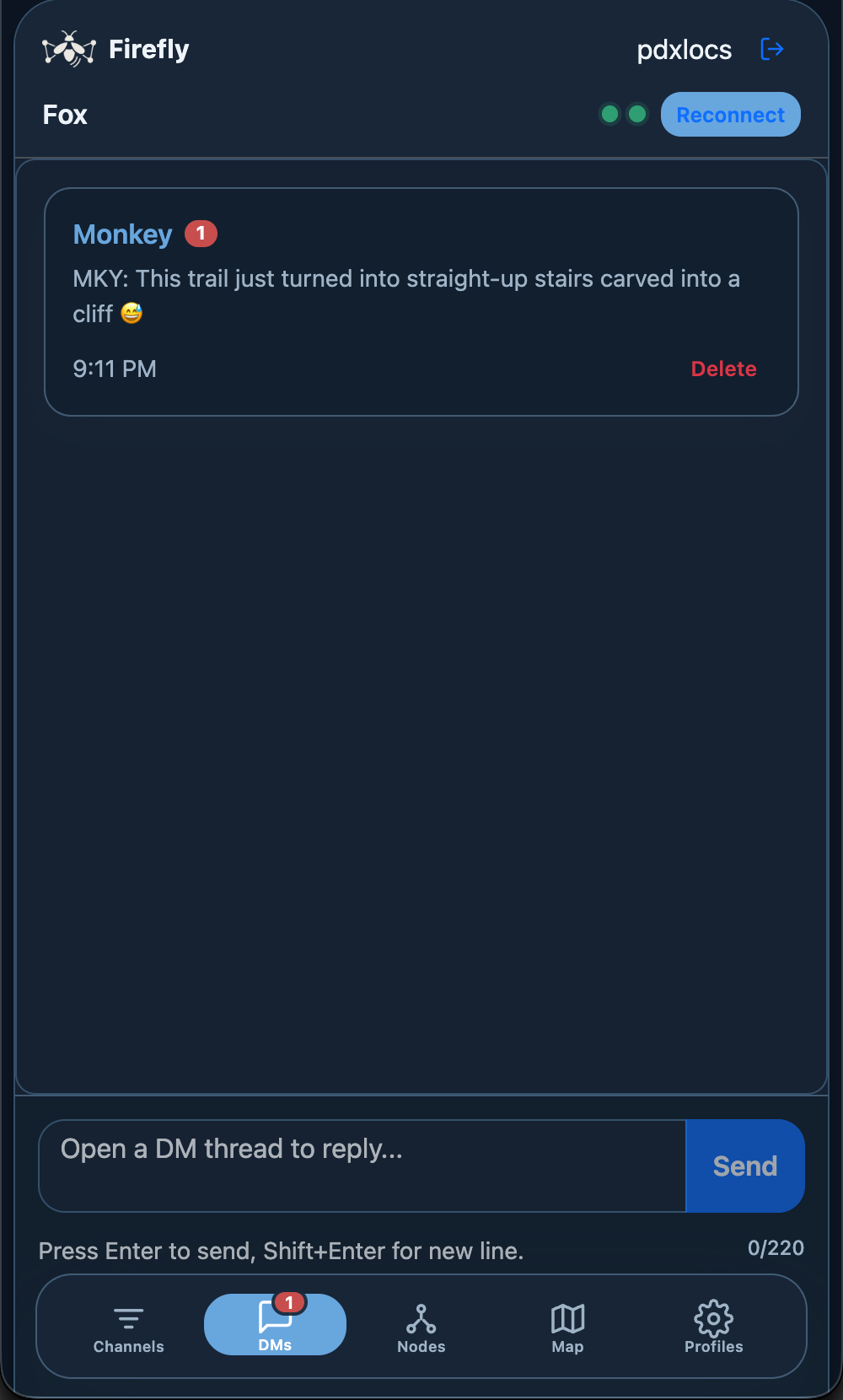
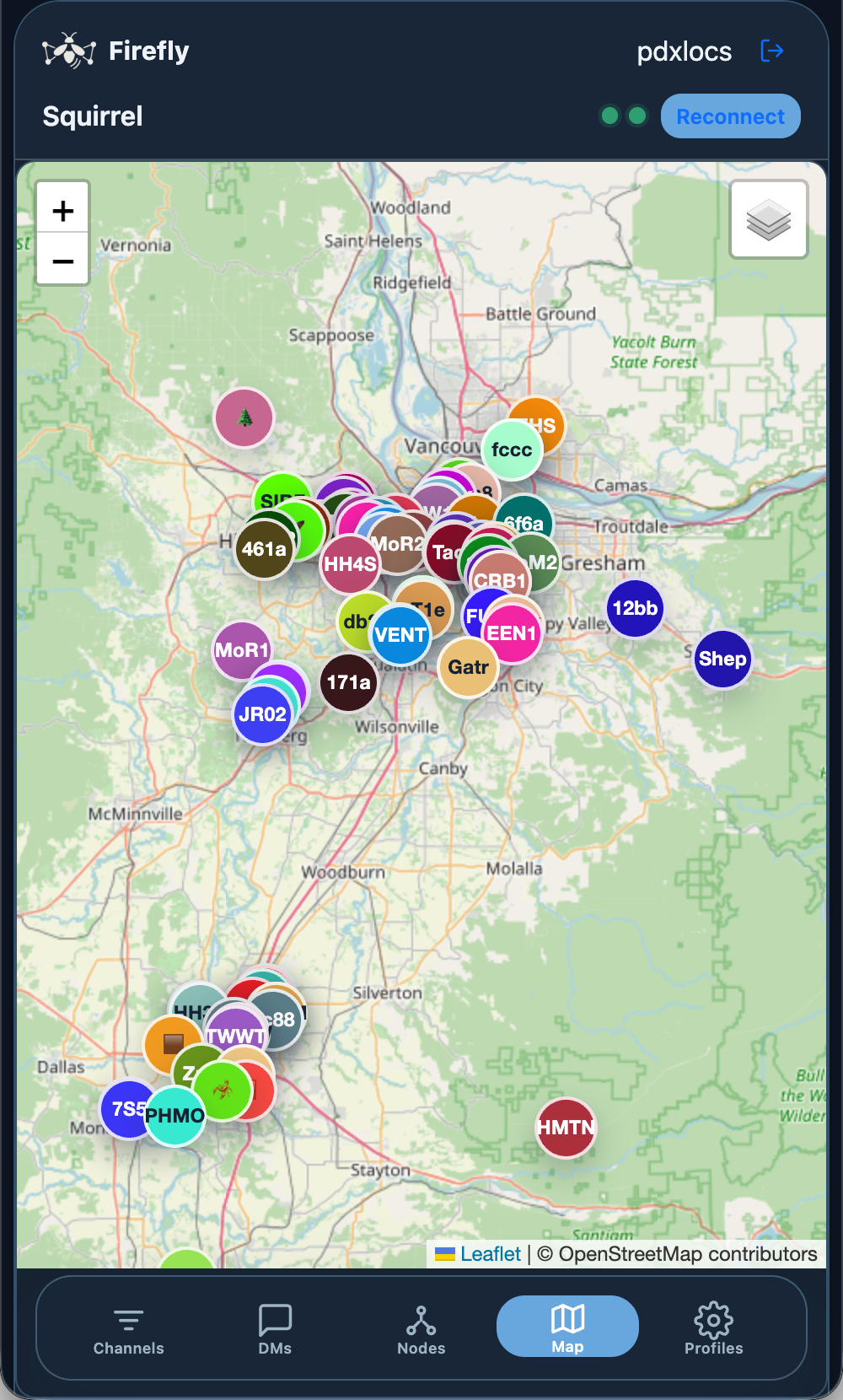
- Real-time Chat: Send and receive messages instantly across the Meshtastic network
- Meshtastic Integration: Connect to Meshtastic mesh networks via UDP multicast
- Node Discovery: Automatically discover and track nodes on the mesh network
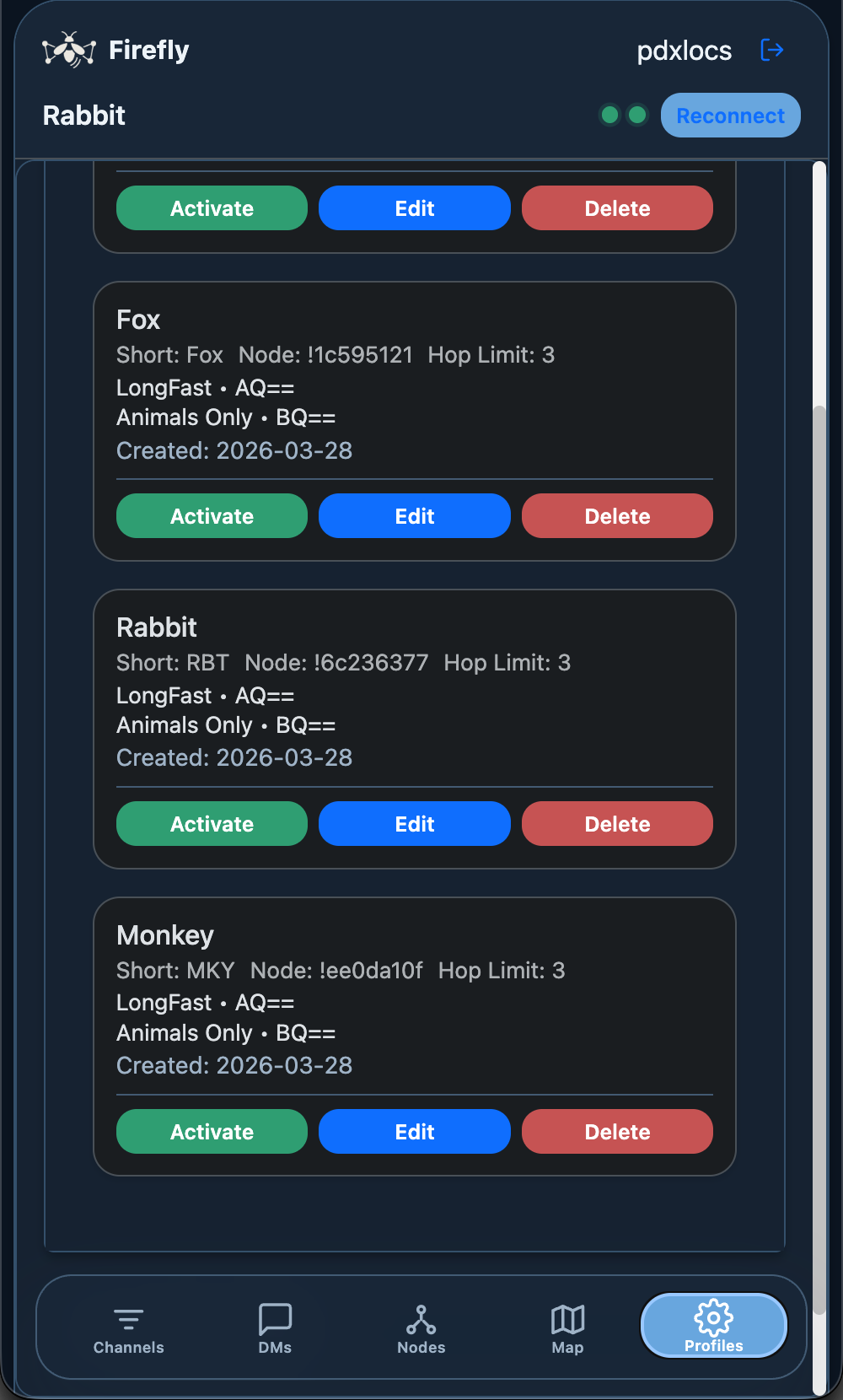
- User Profiles: Create, edit, and manage multiple Meshtastic profiles
- Database Storage: Persistent storage of seen nodes and message history per profile
- Web Interface: Clean, responsive web interface built with Bootstrap
- Real-time Updates: WebSocket integration for instant message and node discovery
- Detailed Node Information: View hardware details, roles, and connection statistics
- Python 3.11–3.14
- Modern web browser with WebSocket support
- Local network access
- Docker and Docker Compose
- Modern web browser with WebSocket support
- Local network access
The easiest way to run Firefly is using Docker:
-
Clone the repository
git clone https://github.com/pdxlocations/firefly.git cd firefly -
Optional: Configure environment
cp .env.example .env # Edit .env file if you want to customize settings -
Build and run with Docker Compose
docker-compose up --build
-
Access the application
- In the default Docker bridge setup, open
http://localhost:5011 - If you switch Compose to Linux host networking, use
http://YOUR_IP:5011 - The application will be ready to use!
- In the default Docker bridge setup, open
-
Clone or download this project
git clone https://github.com/pdxlocations/firefly.git cd firefly -
Create a virtual environment (recommended)
python3 -m venv .venv
source .venv/bin/activate  # On Windows: venv\Scripts\activate
-
Install dependencies
pip install -r requirements.txt
Stop Firefly, update this checkout, then upgrade packages in the same virtual environment used to run it:
git pull
.venv/bin/python -m pip install --upgrade -r requirements.txt
.venv/bin/python runtime_probe.py
.venv/bin/python start.py
An old Firefly SQLite database is supported; do not delete it first. Startup migrates profile IDs to vnode's public-key-derived identities before enabling network reception. Existing keys are reused where available; profiles without keys receive new ones. Profile UUIDs and account settings remain usable. Node IDs may change, so other nodes may need to discover the new identity before sending DMs. Historical messages keep their original sender IDs.
The migration saves a database and profile-config backup under
firefly_runtime/backups/identity-* (or the configured runtime directory).
It runs automatically and is safe to repeat. After migration, missing or corrupt
identity files stop startup rather than silently rotating keys. Runtime storage
must be writable and persistent alongside the database. Docker's existing data
volume covers the default runtime directory.
Firefly uses pip-installed dependencies by default, including on remote hosts.
No sibling repositories are required. For development only,
FIREFLY_LOCAL_DEPS=1 enables sibling meshdb/mudp/vnode checkouts; those must meet
the minimum versions. The startup probe reports loaded module paths. Supported
vnode, meshdb, and mudp release ranges are bounded in requirements.txt.
Profile APIs no longer accept a node_id in create or update requests. The create
response returns the generated node_id. Browser clients send a CSRF token;
other HTTP clients must obtain the token from the page's csrf-token meta tag,
retain the session cookie, and send X-CSRF-Token on writes. Reload existing
browser tabs after upgrading.
-
Start the application
docker-compose up
Use
docker-compose up -dto run in the background. -
Open your web browser
- Navigate to
http://localhost:5011 - Or access from other devices on the network using your computer's IP address:
http://YOUR_IP:5011
- Navigate to
-
Run the application
Option A: With automatic virtual environment handling
python start_with_venv.py
This script validates the active interpreter and starts the application.
Option B: Manual start
python start.py
You can also run app.py directly for testing, but start.py is the recommended entry point.
-
Open your web browser
- Navigate to
http://localhost:5011 - Or access from other devices on the network using your computer's IP address:
http://YOUR_IP:5011
- Navigate to
-
Create a Meshtastic Profile
- Go to the "Profiles" page
- Click "Create New Profile"
- Fill in your Meshtastic node details:
- Long Name: Full display name for your node
- Short Name: Short identifier (4 chars max)
- Channel: Meshtastic channel name
- Key: Encryption key for the channel
- Click "Create Profile". Firefly generates a private key and derives your read-only node ID from its public key.
-
Select Your Profile
- Return to the "Chat" page
- Select your profile from the dropdown
- Click "Set Profile"
-
Start Using the Network
- Chat: Type messages to communicate with other nodes
- View Nodes: Check the "Nodes" page to see discovered mesh nodes
- Monitor Activity: Watch real-time updates as nodes join and send messages
To chat with others on your network:
- Each person should run the application on their device
- Everyone should be connected to the same local network
- Each person needs to create their own profile
- Messages will be automatically shared between all running instances
- Real-time messaging with other Meshtastic nodes
- Profile selection and management
- Connection status monitoring
- Channel, DM, and node inbox views in one interface
- Comprehensive list of all discovered mesh nodes
- Detailed node information including:
- Hardware model and role
- First/last seen timestamps
- Packet counts and signal information
- MAC addresses and public keys
- Interactive node details modal
- Statistics overview
- Create, edit, and delete Meshtastic profiles
- View the derived node ID and configure names, channels, and encryption keys
- Switch between different profiles
Configure Firefly using environment variables in .env file:
- FIREFLY_HOST: Bind address for the Flask server inside the container (default:
0.0.0.0) - FIREFLY_PORT: Application port inside the container (default:
5011) - FIREFLY_WEB_PORT: Published host port in
docker-compose.yml(default:5011) - FIREFLY_UDP_PORT: UDP multicast port (default: 4403)
- FIREFLY_DATABASE_FILE: SQLite database path (Docker default:
/app/data/mudpchat.db) - FIREFLY_SECRET_KEY: Optional Flask session secret; otherwise a random secret is saved in the runtime directory
- FIREFLY_DEBUG: Enable debug mode (default: false)
- NETWORK_MODE: Set by
docker-compose.ymlto match bridge vs host networking for startup messages
Native runs use the same application defaults without Docker:
- FIREFLY_HOST: Flask bind address (default:
0.0.0.0) - FIREFLY_PORT: Web interface port (default:
5011) - FIREFLY_DATABASE_FILE: SQLite database path (default:
firefly.db) - FIREFLY_UDP_PORT: UDP multicast port (default:
4403) - FIREFLY_MCAST_GRP: Multicast group address (default:
239.0.0.69for Meshtastic 2.8+)
Firefly explicitly configures the multicast address for both sending and receiving;
changing mUDP's standalone defaults does not change Firefly's address. For older
firmware, launch with FIREFLY_MCAST_GRP=224.0.0.69 python start.py. With Docker
Compose, set FIREFLY_MCAST_GRP=224.0.0.69 in .env and recreate the container.
Existing virtual-node configurations pick up the selected address when started.
- Connection to a Meshtastic network via UDP multicast
- UDP multicast port 4403 must be available and not blocked by firewalls
- For best results, ensure your network allows UDP multicast traffic
- Compatible with MUDP (Meshtastic UDP) protocol implementations
firefly/
├── .env.example       # Example Docker environment overrides
├── DOCKER.md          # Docker-specific setup and troubleshooting
├── Dockerfile         # Container image definition
├── app.py              # Main Flask application
├── database.py         # Database models and operations
├── docker-compose.yml  # Local Docker orchestration
├── encryption.py       # Meshtastic encryption/decryption
├── requirements.txt    # Python dependencies
├── start.py            # Primary startup entry point
├── start_with_venv.py  # Interpreter validation helper
├── templates/
│   ├── auth.html      # Login and account creation
│   ├── base.html      # Shared layout and mobile navigation
│   └── index.html     # Single-page app for chat, nodes, map, and profiles
└── static/
    ├── css/
    │   └── style.css  # Custom styles
    └── images/
        ├── firefly-logo-dark.png   # Logo for dark theme
        └── firefly-logo-light.png  # Logo for light theme
# View logs
docker-compose logs -f

# Restart the application
docker-compose restart

# Stop the application
docker-compose down

# Update and rebuild
docker-compose up --build

# Access container shell
docker-compose exec firefly /bin/bash- Application data is stored in Docker volume
firefly_data - Database and profiles persist between container restarts
- To backup data:
docker run --rm -v firefly_data:/data -v $(pwd):/backup alpine tar czf /backup/firefly-backup.tar.gz -C /data .
- Check logs:
docker-compose logs firefly - Verify port availability:
netstat -tulpn | grep :5011 - Check disk space:
df -h
- Verify UDP port 4403 is not blocked by firewall
- Test UDP connectivity:
nc -u localhost 4403 - Check Meshtastic device configuration
- Ensure Docker container can access host network for UDP multicast
If you get a "port already in use" error:
- Docker: Change
FIREFLY_WEB_PORTin.envfile - Native: Change the MCAST_PORT in
app.pyto a different number - Restart the application
- Make sure all users use the same port number
- Check that all devices are on the same network
- Verify that UDP port 4403 is not blocked by firewall
- Try disabling firewall temporarily for testing
- Check that the application is running on all devices
- Docker: Ensure container networking allows UDP multicast
- Make sure the application is running (check logs)
- Try accessing via
http://127.0.0.1:5011instead of localhost - Check that port 5011 is not blocked
- Docker: Use
docker-compose logsto check for errors
- Profiles are stored in SQLite database - this is created automatically
- If you have profile issues, you can delete the database and restart
- Make sure you select a profile before trying to send messages
- Docker: Database is in the
firefly_datavolume
- Backend: Python Flask with Flask-SocketIO
- Database: SQLite for persistent data storage
- Frontend: HTML5, CSS3, JavaScript (ES6+)
- Real-time: WebSocket connections for instant updates
- Networking: Meshtastic MUDP protocol over UDP multicast
- Mesh Integration: Direct integration with Meshtastic protobuf messages
- Node Discovery: Automatic NODEINFO_APP packet processing
- Threading: Flask-SocketIO uses the threading backend, and UDPPacketStream runs a background listener thread for receiving packets
- Data Storage: Profiles, nodes, and messages are stored per-profile in SQLite database
- Profile Persistence: Profiles survive application restarts and are safely migrated from JSON
- Profile Storage: Profiles, nodes, and messages are stored in SQLite
- Database Location: Native default is
firefly.db; Docker default is/app/data/mudpchat.db - Automatic Migration: Existing
profiles.jsonfiles are automatically migrated on first run - Persistent Data: Profiles, nodes, and messages survive application restarts
- Safe Migration: Migration only occurs once when database is empty
- Backup Protection: Original JSON files are preserved as
.migratedbackups
- Easy Setup: No need to install Python dependencies
- Consistent Environment: Runs the same on any system with Docker
- Isolation: Doesn't interfere with system Python packages
- Data Persistence: Automatic volume management for database
- Production Ready: Easy deployment and scaling
- Quick Updates: Simple container rebuilding
- Development: When modifying the code
- Resource Constraints: Lower overhead without container layer
- Integration: When integrating with existing Python environments
For detailed Docker usage, see DOCKER.md.
- This application integrates with Meshtastic mesh networks
- Uses Meshtastic's built-in AES encryption for message security
- Node information and messages are stored locally in SQLite database
- Database contains channel encryption keys - protect the database file
- The Flask server binds to
0.0.0.0by default; use firewall rules if exposing it beyond trusted networks - A persistent random Flask session secret is generated unless
FIREFLY_SECRET_KEYis configured - Authenticated writes require a CSRF token; Socket.IO enforces the same origin
GPL-3.0-only. See LICENSE.
Meshtastic® is a registered trademark of Meshtastic LLC. Meshtastic software components are released under various licenses, see GitHub for details. No warranty is provided - use at your own risk.