
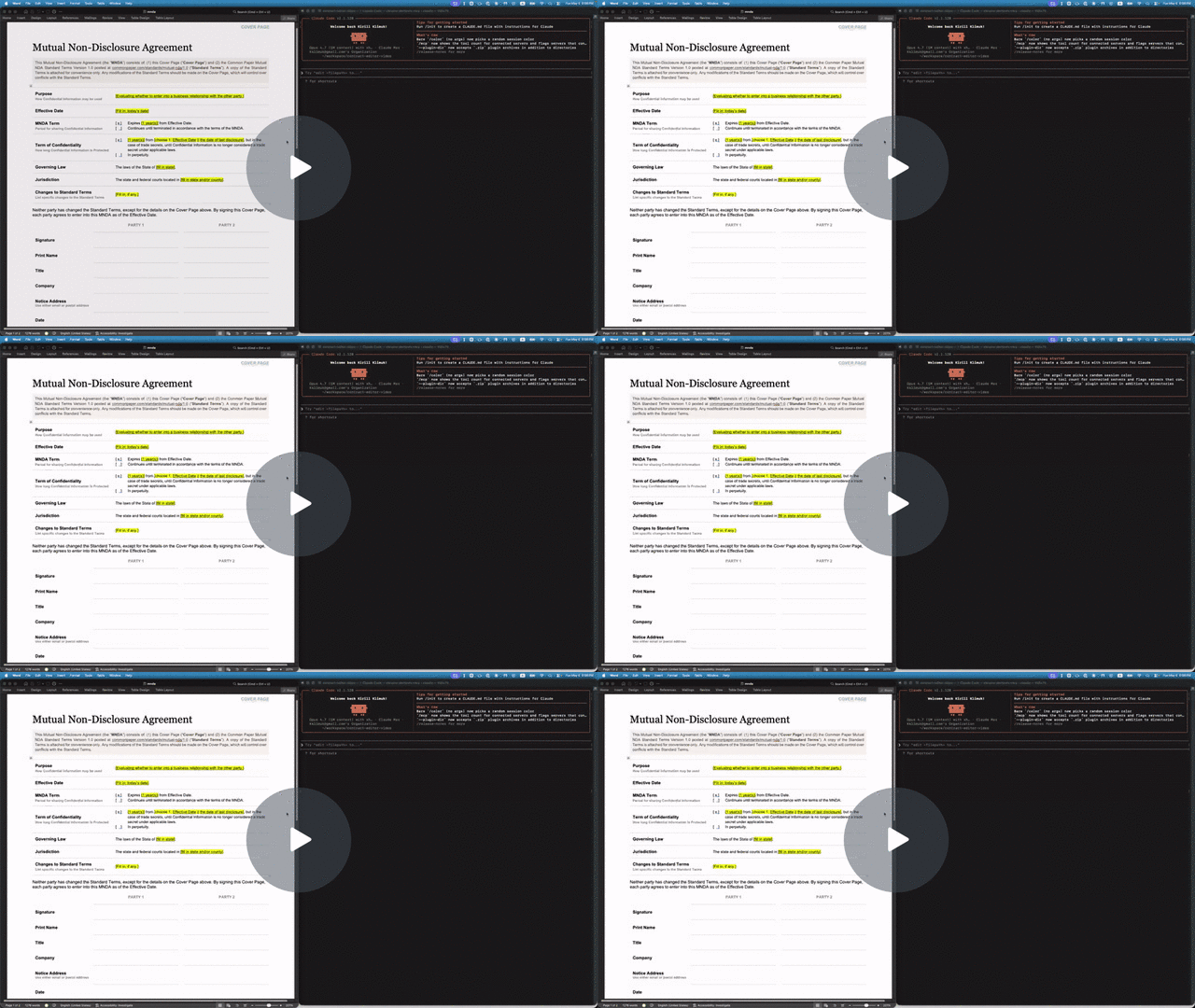
Let your AI agent do real work in your Word documents. Fill in contracts and forms, update tables and figures, restyle a résumé, write a report from scratch, or review a draft with tracked changes and comments. When you open the file in Word, it still looks like yours.



- One tool for the whole document. Your agent can:
- read a .docx as Markdown;
- rewrite or insert text;
- fill templates;
- edit tables;
- restyle headings, fonts, spacing and margins;
- set headers, footers and page numbers;
- add footnotes, images, links, lists and equations;
- build a new document from Markdown.
- Nothing gets lost. The agent edits the document in place instead of regenerating it, so custom styles, numbering, theme colors, text boxes and embedded objects survive, and new text matches the formatting around it.
- Review like a colleague. When you want a say, the agent's edits arrive as real Word tracked changes signed with the name you choose, with margin comments anchored to the exact clause. It can also finalize a returned redline: accept some changes, reject others, reply to comments, and resolve them.
- Local and private. Everything runs on your machine. No document content is sent anywhere, and there is no telemetry.
- Any agent, MIT-licensed. Works with Claude Code, Codex, Pi, and anything else that reads the open Agent Skills format, or call it as a plain command from your own code.
Who it's for: people whose AI agent can work with files on their computer: Claude Code, Codex, Pi, and similar tools. In the Claude desktop app, that means Claude Code (the Code tab), not a regular chat. If you only chat with Claude, on claude.ai or in the app, use Claude's built-in Word support (Anthropic's docx skill) instead; docx-cli can't run there.
You don't run these steps yourself. Your agent reads them and does them, including checking that the download is genuine.
Set up docx-cli (https://github.com/kklimuk/docx-cli) so you can edit Word documents for me.
1. Install the skill for the agent you are:
   - Claude Code: claude plugin marketplace add kklimuk/docx-cli && claude plugin install docx-cli@docx-cli
   - Codex: codex plugin marketplace add kklimuk/docx-cli   (the skill loads automatically; nothing else to install)
   - Any other agent: npx skills add kklimuk/docx-cli -g -y
2. Install the `docx` program:
   - If Bun is installed: bun add -g bun-docx
   - Otherwise, from an empty temporary directory:
       curl -fsSLO https://github.com/kklimuk/docx-cli/releases/latest/download/install.sh
       curl -fsSLO https://github.com/kklimuk/docx-cli/releases/latest/download/SHA256SUMS
       shasum -a 256 -c SHA256SUMS --ignore-missing   (or: sha256sum -c SHA256SUMS --ignore-missing)
     Only if that prints "install.sh: OK", run: REQUIRE_CHECKSUM=1 sh install.sh
   - Windows: download docx-windows-x64.exe from https://github.com/kklimuk/docx-cli/releases/latest,
     compare `Get-FileHash docx-windows-x64.exe` with its line in SHA256SUMS, rename it to docx.exe,
     and put it on PATH.
3. Run `docx --version`. If it isn't found, add ~/.local/bin to PATH and try again.
4. Tell me it's ready. (In Claude Code, the skill is available from the next session.)
Note: the npm package is `bun-docx`. The npm packages named `docx` and `docx-cli` are unrelated.
Then ask for real work, for example:
- "Fill in this NDA for Acme, Inc. with today's date and California law."
- "Update the Q3 table in report.docx with these numbers and add a footnote citing the source."
- "Make my résumé's headings consistent, tighten the margins, and keep it to one page."
- "Review contract.docx as Acme's counsel: redline the payment terms to Net 30 and comment on anything one-sided."
Or install the skill yourself
Any agent (skills.sh):
npx skills add kklimuk/docx-cliClaude Code:
/plugin marketplace add kklimuk/docx-cli
/plugin install docx-cli@docx-cli
Codex (the plugin's skills auto-discover):
codex plugin marketplace add kklimuk/docx-cli
Pi (the pi manifest in package.json pulls in the skill), then invoke /skill:docx-cli:
pi install git:github.com/kklimuk/docx-cli # global; add -l for a project (team-shared) install
Manual: copy skills/docx-cli/ into your agent's skills directory (e.g. ~/.claude/skills/ or the cross-tool ~/.agents/skills/). If docx isn't installed, the skill tells the agent to run scripts/bootstrap.sh, which installs a pinned, checksum-verified binary (and, run again later, updates one that's behind).
The skill is thin on purpose: it teaches the workflows, then defers to docx <command> --help, which ships with the program, so it can't go stale. docx info skill prints the canonical SKILL.md for the installed version.
In short: on our six-task benchmark, docx-cli got the same results as Anthropic's docx skill (the skill Claude uses for Word files) in 27% less time, with 22% fewer input tokens and 41% fewer output tokens using Haiku 5.5. Compared to OfficeCLI, it was roughly 2x faster at half of the tokens, while finishing every task that OfficeCLI got wrong.
| Haiku 5.5 | docx-cli 0.27.0 | Anthropic docx skill | OfficeCLI 1.0.156 |
|---|---|---|---|
| Tasks solved (of 6) | 6.0 | 6.0 | 4.7 |
| Every run solved (all 3) | 6/6 | 6/6 | 4/6 |
| Input tokens (cache-weighted) | 902k | 1.15M (+27%) | 1.92M (+113%) |
| Output tokens | 32k | 54k (+70%) | 63k (+97%) |
| Wall-clock, all 6 tasks | 914 s | 1,254 s (+37%) | 1,834 s (+101%) |
| Tool calls | 98 | 124 (+26%) | 165 (+69%) |
- Editing existing documents is where docx-cli saves. On the five editing tasks it used about 30% fewer input tokens and 35% less time than Anthropic's skill.
- On the two contract tasks, all three tools passed every run. There the difference is cost and speed, not correctness.
- OfficeCLI's four misses were the résumé every time (after the margin change, every date line wrapped, some mid-word, e.g. "Cambrid / ge, MA") and one invoice (the old notes line was left in place). That résumé wrap is a trap docx-cli specifically repairs, so read "fewer misses" with that in mind.
- Every output from every tool opened in Word.
What to know about this benchmark. We wrote docx-cli, the six tasks, and the grading rubrics, and these tasks are also the regression suite docx-cli is developed against. It's three runs per tool on one model. The judge knew which tool produced each result; competitor runs carried an instruction to grade the rendered pages and not penalize a different internal approach. Competitors were pinned (Anthropic skill at anthropics/skills@dbd4588, OfficeCLI 1.0.156 by SHA-256). On older models the correctness gap was large (Haiku 4.5, July 2026: 5.0/6 vs 0.7/6 for the default skill); on current models it has closed. Per-task numbers, every caveat, and how to reproduce: benchmarks/2026-10-10.
On our benchmark docx-cli solved every task and was the cheapest and fastest of the three tools above. Here's how it compares with each alternative.
- Anthropic's docx skill: docx-cli has the same accuracy, with less spend. docx-cli took 27% less time, 22% fewer input tokens, 41% fewer output tokens, and 98 tool calls against 124. On finalizing a redline it used about half: 94k tokens and 86 s against 179k and 159 s. The skill has the agent hand-edit Word's XML with helper scripts; docx-cli gives it commands such as
track-changes apply --accept rev1 --reject rev0. It's one program instead of Python, Node, pandoc, and LibreOffice, and it's MIT-licensed, while the skill's license limits it to Anthropic's services; docx-cli runs under Codex or any other agent. The skill was cheaper on our one from-scratch document, so if you mostly write new documents with Claude, it's a reasonable choice. - OfficeCLI: docx-cli solves more tasks, at half the cost. On our Word tasks docx-cli solved 6 of 6 against 4.7, with about half the tokens and time (most of OfficeCLI's misses were a résumé layout trap docx-cli was built to repair).
- Claude for Word and Copilot: docx-cli needs no Word to make progress. In-Word assistants work on one open document while a person drives. docx-cli lets the agent work on the files directly: a folder of contracts, a scheduled job, an agent like Claude Code or Codex. If you'd rather sit in Word and steer, Claude for Word does tracked changes too.
- python-docx, Open XML SDK, or generate-and-compare: docx-cli doesn't write throwaway code. With a library the agent writes new code for every document, handles text Word splits across runs, and, with python-docx, gets no API for tracked changes. Generating a new copy and running Word's Compare gives a redline shaped by the diff, and the regenerated copy's formatting can drift. docx-cli tracks each change as it's made, scoped to the phrase.
- pandoc: docx-cli can edit instead of regenerating. pandoc is excellent at Markdown to Word (docx-cli's
create --from draft.mddoes that too), but editing an existing file means regenerating it from Markdown, which drops what Markdown can't hold. On our test fixtures (tests/fixtures/text-boxes.docxandsections.docx),pandoc in.docx -o in.md && pandoc in.md --reference-doc=in.docx -o out.docxlost a text box along with its text and merged eight sections, with their columns, into one.
What docx-cli doesn't do: MCP.
Yes.
- Your document stays on your machine. No command sends content anywhere. The only network access is installing or upgrading the program, plus
images addwhen you give it a web address. See SECURITY.md. - Every edit can be reviewed. Ask the agent to turn tracking on, so each change is a Word tracked change you can reject one by one.
- Edits are surgical. docx-cli changes only what it was asked to change; everything else in the file, including parts of Word's format it doesn't understand, passes through untouched. It never deletes something the document still points to.
- Work on a copy. docx-cli saves changes into the file it's given, so ask the agent to save to a new file (
-o) or keep the original.--dry-runpreviews a change without saving it, anddocx diff FILE --against ORIGINAL.docxlists what changed as text (it isn't a Word compare).
npm. The package is bun-docx, and it runs under Bun ≥ 1.3 even when installed with npm. If you're embedding docx-cli in a Node or Python service, use the standalone binary instead.
bun add -g bun-docx        # or: npm install -g bun-docx
bunx bun-docx read doc.docx   # run without installing
Every command works directly on the .docx file. Only docx render (page images, for checking layout) needs Word (macOS/Windows) or LibreOffice installed.
Upgrading: docx upgrade replaces a standalone binary in place, using the installer embedded in the binary at build time (never fetched), pinned to a release tag and SHA-256-verified. docx upgrade --to v0.27.0 pins a version; --dry-run reports what would change. It won't touch an npm install (use your package manager), a renamed binary, or Windows, where a running .exe can't be replaced (download the new one by hand).
docx-cli is a command-line program with a machine-friendly contract, so any language can call it as a subprocess:
- The exit code is the success signal:
0ok,1general failure,2usage error,3not found. Areplaceorcomments add --anchorthat matches nothing exits3instead of reporting success.replacechanges the first match unless you pass--all; any further matches are reported, not treated as an error. - Errors are JSON on stdout:
{"code":"MATCH_NOT_FOUND","error":"…","hint":"…"}, so capture stdout on failure too (in Python,json.loads(error.stdout)["code"]on aCalledProcessErrorwithcapture_output=True). - Structured output:
docx read FILEprints annotated Markdown with locator comments;--astprints the lossless JSON tree; mostlistverbs print JSON (track-changes listprints a table unless you add--json);--verbosegives a JSON acknowledgement on every change. - Stable addresses: paragraphs, tables, cells, comments, and tracked changes all have locators (
p3,p3:5-20,t0:r1c2,c0,rev1).docx find FILE "phrase"returns the exact span. - Batches:
edit,insert,replace,delete, and thecommentsverbs take--batch FILE.jsonl(-for stdin). Every locator in a batch addresses the document as you read it. - No MCP server. Agents call
docxthrough their shell tool with the bundled skill, which is the setup benchmarked above. - Pre-1.0. Flags can still change between minor versions. Pin a version in production.
import json, os, subprocess
env = {**os.environ, "DOCX_AUTHOR": "Acme Legal"}   # the name on every tracked change
subprocess.run(["docx", "track-changes", "on", "contract.docx"], check=True, env=env)
subprocess.run(["docx", "replace", "contract.docx", "Net 90", "Net 30", "--all"], check=True, env=env)
changes = json.loads(subprocess.run(
    ["docx", "track-changes", "list", "contract.docx", "--json"],
    check=True, capture_output=True, text=True).stdout)
Tested on every commit: about 1,900 unit tests, a LibreOffice round-trip of every fixture, and schema checks against the ECMA-376 XSDs (docx validate runs the same check on any file).
- Data: fully local, no telemetry. Network access happens only when someone installs or upgrades the program, or passes a web address to
images add. - Nothing updates in the background. The binary changes only when someone runs
docx upgrade, the installer, or the skill'sbootstrap.sh(which installsdocxwhen it's missing and updates one that's behind). Pin a fleet withDOCX_CLI_VERSION=v0.27.0in the agent's environment, plusVERSION=/docx upgrade --tofor the install itself. - Air-gapped installs, the network endpoints to allow, Windows and macOS signing, and maintainer risk: see SECURITY.md → Deploying in an organization.
docx --helpanddocx <command> --help: the authoritative, versioned contract. Agents should start here.- REFERENCE.md: every command, the output contract, the locator grammar, common workflows, and how it works under the hood.
- SECURITY.md: install integrity, data handling, deployment, and reporting vulnerabilities.
- CONTRIBUTING.md: development setup, architecture, the stack, and CI.
MIT. The standalone binaries statically link libheif (LGPL-3.0) for HEIC image support; see NOTICES for the attributions and your rights under the LGPL.