
Built with Kotlin and Jetpack Compose, it leverages the power of The Movie Database (TMDB) API following the Clean Architecture principles and MVVM pattern to ensure scalability, testability, and performance.
- 🚀 Modern UI: Fully built with Jetpack Compose & Material 3 Design.
- ♾️ Infinite Browsing: Seamless pagination using Paging 3 for Trending, Popular, Top Rated, and more.
- 🔍 Smart Search: Search for Movies and TV Shows with search history and filters (Genres, Languages).
- 📱 Edge-to-Edge Design: Immersive experience with transparent status and navigation bars.
- ❤️ Favorites (Bookmarks): Save your favorite content locally using Room Database (Works Offline).
- ℹ️ Detailed Insights: View cast, crew, trailers, similar items, and high-quality images.
- 🏎️ Performance: Heavy use of Coroutines & Flow for asynchronous operations.
- 🎨 Dynamic Theming: Extracts vibrant colors from movie posters to theme the details screen using Palette API.
- 👋 Onboarding: A welcoming onboarding flow using DataStore to persist state.
| Home Feed | Movie Details | Favorites | Profile |
|---|---|---|---|
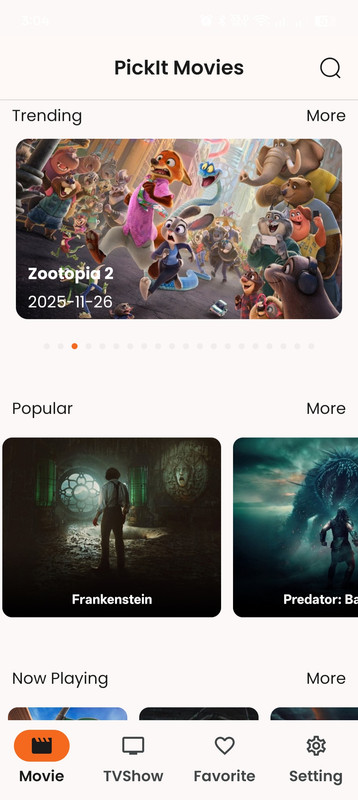 |
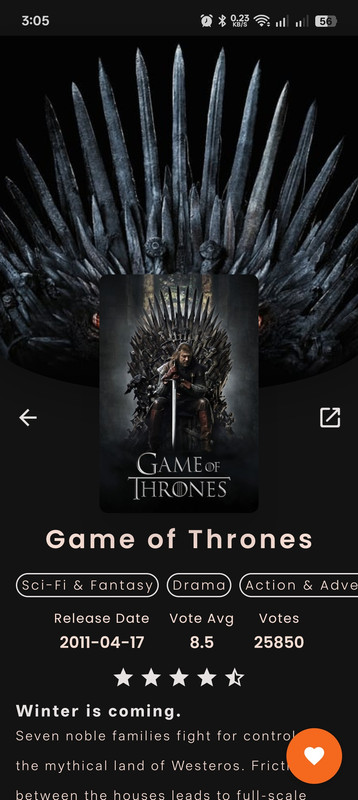 |
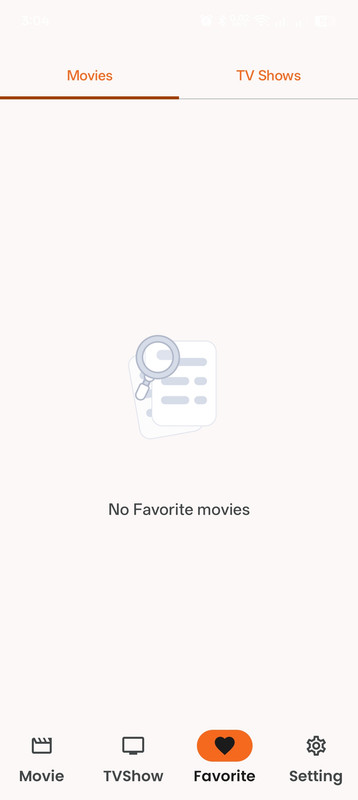 |
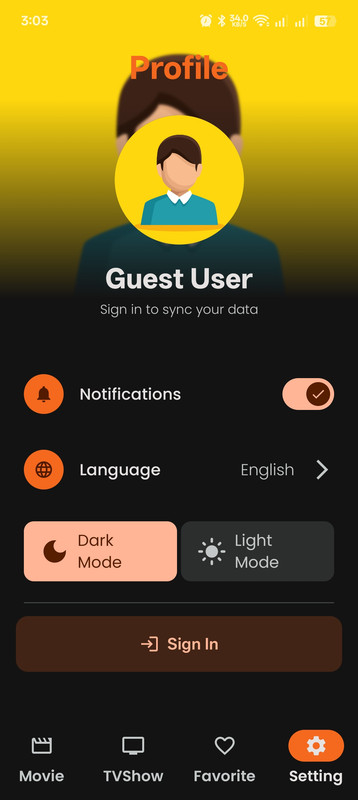 |
- Language: Kotlin (100%)
- UI Framework: Jetpack Compose (Material 3)
- Architecture: Clean Architecture (Data, Domain, Presentation) + MVVM.
- Dependency Injection: Dagger Hilt.
- Network: Retrofit + OkHttp.
- Serialization: Kotlinx Serialization (Type-safe JSON parsing).
- Local Database: Room.
- Image Loading: Coil.
- Pagination: Paging 3.
- Async: Coroutines & StateFlow.
- Navigation: Navigation Compose (with Nested Graphs & Type-safe arguments).
- Preferences: Jetpack DataStore.
- Browser: Chrome Custom Tabs.
- Animations: Lottie Files & Compose Animation API.
The app follows the Clean Architecture guidelines:
- Domain Layer: Contains UseCases, Domain Models, and Repository Interfaces. It is pure Kotlin and has no Android dependencies.
- Data Layer: Contains API implementation (Retrofit), Database (Room), DTOs, and Repository Implementations. Maps data to Domain models.
- Presentation Layer: Contains UI (Compose Screens) and ViewModels.
com.hitech.pickit
├── core # Core components (Base Classes, Common Repositories)
├── di # Hilt Modules (Network, Database, Repository Bindings)
├── movie # Feature Module (Movies & TV Shows)
│ │
│ ├── data # API, DTOs, PagingSource, Mappers, Repository Impl
│ │
│ ├── domain # Models, Repository Interfaces, UseCases
│ │
│ └── presentation # UI Screens, ViewModels, Components
│
└── ui # App Entry Point, Navigation, Theme
To run this project locally, follow these steps:
git clone https://github.com/Robert-x1/Pick_it.git
- Get a TMDB API Key Sign up at The Movie Database.
Navigate to Settings -> API to generate your API Read Access Token (Bearer Token).
- Configure local.properties Create a file named local.properties in the root directory (if not exists) and add your token:
Properties
sdk.dir=/path/to/your/android/sdk TMDB_BEARER_TOKEN="YOUR_TMDB_READ_ACCESS_TOKEN_HERE" (Note: Ensure TMDB_BEARER_TOKEN is the exact key used in build.gradle.kts).
- Build and Run Open the project in Android Studio, sync Gradle, and run the app on an Emulator or Physical device.
🤝 Contributing Contributions are what make the open-source community such an amazing place to learn, inspire, and create. Any contributions you make are greatly appreciated.
Fork the Project
Create your Feature Branch (git checkout -b feature/AmazingFeature)
Commit your Changes (git commit -m 'Add some AmazingFeature')
Push to the Branch (git push origin feature/AmazingFeature)
Open a Pull Request
📄 License Distributed under the MIT License. See LICENSE for more information.
👨💻 Contact Robert Romany - Android Developer
📧 Email: robert.romany.dev@gmail.com
🔗 LinkedIn: linkedin.com/in/robert-romany-dev
Project Link: https://github.com/Robert-x1/Pick_it.git