





A disk cleaner with explicit criteria: SEGURO (safe), REVISAR (review), DESCONOCIDO (unknown) and NUNCA (never). When in doubt, don't delete. A false negative costs 2 GB; a false positive costs a broken install or lost data.
Current version: 1.0. Repository: github.com/Brimx/prgedisk.
The scanner prints its levels in Spanish; this README maps them. Two ports share the same engine:
prgedisk/
├── README.md                 English
├── README.es.md              Español
├── LICENSE                   MIT
├── resources/
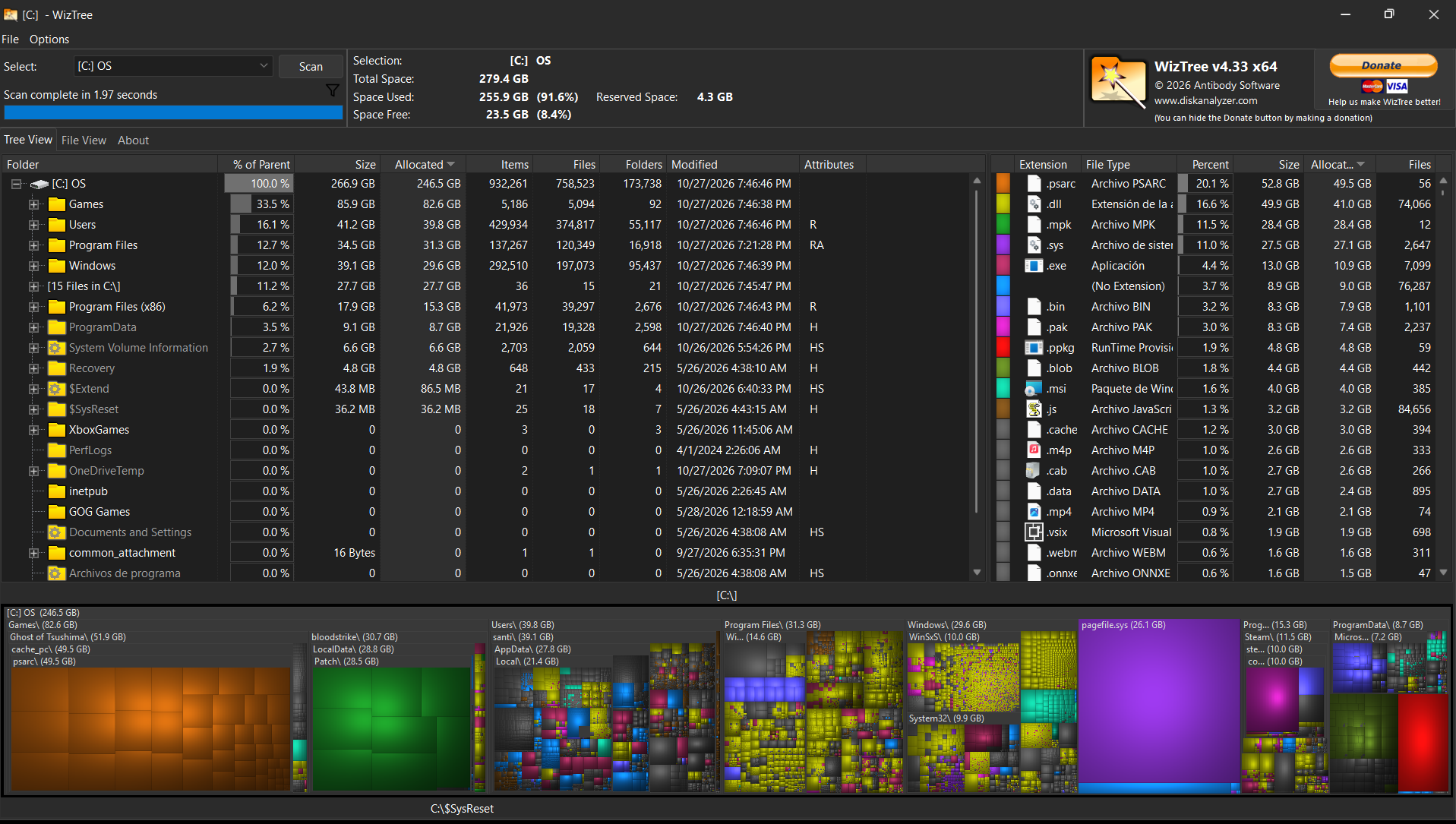
│   ├── antes.png             WizTree before cleaning Windows
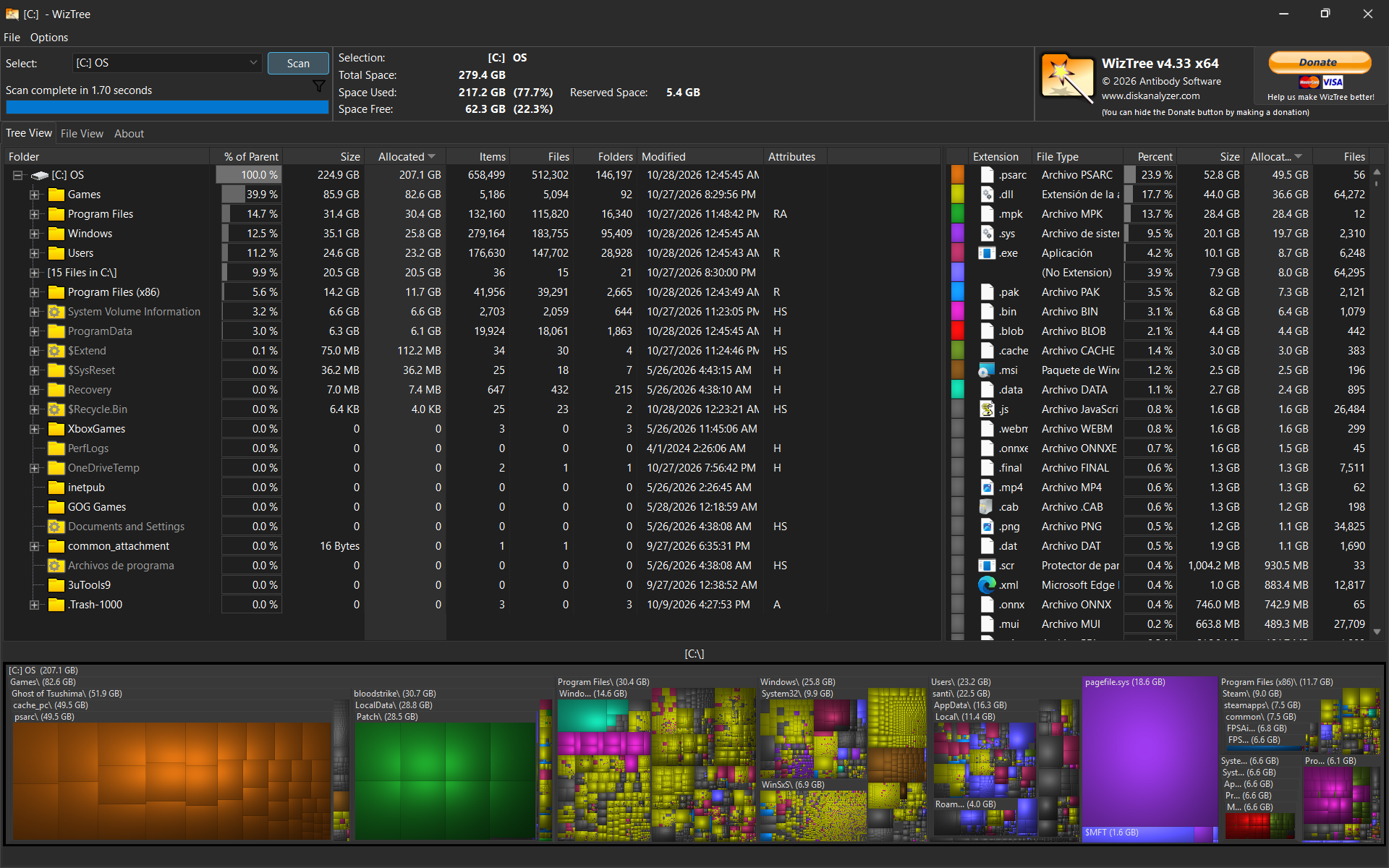
│   └── despues.png           WizTree after
├── CRITERIOS.md              levels, protections and rules (Spanish)
├── docs/
│   ├── RESULTADOS.md         real Linux and Windows measurements (Spanish)
│   └── ejemplo-reporte.txt   text report from a demo tree
├── linux/
│   ├── escaner.sh            scanner + TUI (bash, no WizTree)
│   ├── instalar.sh           installs the `prgedisk` command
│   ├── REVISION-LINUX.md     port findings and decisions
│   └── CONTEXTO-LINUX.md     Linux handover notes
└── windows/
    ├── instalar.ps1          installs `prgedisk` and `prgedisk-ui`
    ├── Abrir-Prgedisk.cmd    launches the GUI (double click)
    ├── escaner.ps1           CLI engine
    ├── escaner-wpf.ps1       WPF GUI
    ├── escaner-gui.ps1       WinForms GUI
    ├── limpiar-win.ps1       curated phase cleaner (personal)
    ├── reglas.json           Windows rule reference
    ├── CAMBIOS-WINDOWS.md    optional WizTree CSV changes
    └── backup-20261028/      original .ps1 files before the patch
cd linux
./instalar.sh          # copies to ~/.local/bin/prgedisk
# open a new terminal (or reload fish)
prgedisk
The installer copies the script to ~/.local/bin/prgedisk, so the command
keeps working if you move the repository. Re-run ./instalar.sh after updating
the repo. Uninstall:
./instalar.sh --uninstallcd windows
.\instalar.ps1
# open a NEW terminal
prgedisk # console
prgedisk-ui # WPF windowIt copies the scripts to %LOCALAPPDATA%\Prgedisk, creates the .cmd shims,
adds that folder to the user PATH, and places a Prgedisk desktop shortcut
that opens the WPF window. Uninstall:
.\instalar.ps1 -Uninstallprgedisk # scan home and open the TUI
prgedisk /path # scan that path (or several)
prgedisk --no-ui # report + CSV only
prgedisk --execute-safe # batch: delete SEGURO
prgedisk --help # options and examples
prgedisk --version # prgedisk 1.0- No WizTree needed: walks the disk with
duin a single pass. - The TUI has checkboxes, level filters (
123n), text search (/), large-only (b), grouping by level/owner (g), full-path detail, open folder (o), export selection (e), and a live marked total. - Detects autostart/menu orphans (
.desktopwith a missingExec) and marks them SEGURO; they are deleted only with--execute-safeor by selecting them. ~/.cacheis broken down per application, with a reason (packages, IDE, browser, shaders) and a content check for unknown caches.cshows cache only,ggroups andmmarks the group.- Only touches HTTP and compiled caches. Site storage (
storage,IndexedDB,Local Storage,CacheStorage) is NUNCA. ncduis still useful for manual browsing.- Details and limits:
linux/REVISION-LINUX.md.
- In the TUI:
spacemarks,Enteropens the summary, then types+Enterto confirm.qorEscexits without deleting. - Batch:
prgedisk --execute-safedeletes SEGURO; add--include-reviewfor REVISAR. Confirm by typingBORRAR, or use--yes.
Most new apps need no rules: their cache goes to ~/.cache (SEGURO) and their
data to ~/.config/~/.local/share (NUNCA). Only exceptions need a rule.
prgedisk --explain ~/.cache/my-app # shows which rule wins and why~/.config/prgedisk/reglas.conf:NIVEL|regex|reason, evaluated before the built-in rules. Format and examples inlinux/reglas.ejemplo.conf.~/.config/prgedisk/exclusiones.conf: one path per line; protects that path and everything below it, even inside a SEGURO cache. Example inlinux/exclusiones.ejemplo.conf.
prgedisk                    # WizTree CSV if present; otherwise live
prgedisk C:\path            # scan that path (live)
prgedisk -Live              # force a live scan
prgedisk --help
prgedisk --version
prgedisk-ui # GUI; Escanear falls back to live without a CSV- The WizTree CSV is now optional (
windows/CAMBIOS-WINDOWS.md). - Live scanning takes minutes and uses logical sizes.
limpiar-win.ps1is the phase cleaner; report-only unless-Execute.- The installer creates a desktop shortcut for people who don't use a terminal.
- Linux (2026-10-28, dry run): 39.47 GiB SEGURO, 19.38 GiB REVISAR, 92.83 GiB NUNCA, 0 DESCONOCIDO, 2 orphans, 1.16 M paths (28-106 s).
- Windows: ~27 GB (Jul), ~20.8 GB (Aug), ~27 GB (Oct), per the WizTree captures.
Details, method and a sample text report:
docs/RESULTADOS.md and
docs/ejemplo-reporte.txt.
| Before | After |
|---|---|
 |
 |
CRITERIOS.md defines each level and what must never be touched (keys,
documents, games, databases, configuration). Any new implementation must
respect it; the UI can change.
- NUNCA is never deleted by design (keys,
.git, documents, games, DBs). - DESCONOCIDO is not deleted by default; on Linux you have to select it.
- Linux always preserves
~/.cache/opencode,~/.cache/dsh,~/.cache/claude*,/tmp/dsh-*and the current directory. - On btrfs, deleting may not free space until snapshots expire
(
snapper list).
Code, results and captures: github.com/Brimx/prgedisk. MIT license.